Deploy user code in Azure Container Registry
This guide will walk you through setting up a new repository for your Dagster code, setting up CI/CD with GitHub Actions backed by Azure Container Registry (ACR), and deploying your code to your Azure Kubernetes Service (AKS) cluster.
This guide assumes you are using Dagster+ and that you already have an AKS agent running. You can follow along here if you still need to set up an AKS agent.
Prerequisites
This guide will use a Github repository to store the Dagster code, and GitHub Actions to deploy the code to Azure Container Registry. If you need to use another CI/CD provider, such as Azure DevOps, the steps here will need to be adapted. For more information on configuring CI/CD using the dg plus CLI, see Configuring CI/CD in Dagster+
- The azure CLI installed on your machine. You can download it here.
- A GitHub account, and the ability to run GitHub Actions workflows in a repository.
Step 1: Create a repository for Dagster code
We'll create a new repository based on the Dagster+ hybrid quickstart repository. We'll go through these steps using a brand new repository in GitHub, but you should be able to adapt these steps to an existing repository or other version control systems.
First, create a new repository in GitHub. Going forward, we'll refer to this repository as dagster-plus-code.
Next, we'll run a few commands which clone both our new repository and the Dagster+ hybrid quickstart repository to our local machine.
git clone <your-repo-url> dagster-plus-code
git clone git@github.com:dagster-io/dagster-cloud-hybrid-quickstart.git
We'll copy the contents of the dagster-cloud-hybrid-quickstart repository into our dagster-plus-code repository, and commit the changes.
rsync -av --exclude='.git' dagster-cloud-hybrid-quickstart/ dagster-plus-code/
cd dagster-plus-code
git add .
git commit -m "Initial commit"
git push
Project structure
The project has the following structure:
.
├── .github
│   └── workflows
│       └── dagster-cloud-deploy.yml
├── build.yaml
├── Dockerfile
├── pyproject.toml
├── quickstart_etl_tests
│   ├── __init__.py
│   └── test_assets.py
├── README.md
└── src
    └── quickstart_etl
        ├── __init__.py
        ├── definitions.py
        └── defs
            └── assets
                ├── __init__.py
                ├── hackernews.py
                └── schedules.py
Step 2: Set up an Azure Container Registry
Next, we'll set up an Azure Container Registry to store our Docker images. We'll use the Azure CLI to create the registry.
az login
az acr create --resource-group <your_resource_group> --name <your-acr-name> --sku Basic
Then, we'll make images from our ACR available to our AKS cluster.
az aks update -n <your-cluster-name> -g <your_resource_group> --attach-acr <your-acr-name>
Step 3: Set up GitHub Actions
Now, we'll set up a Github Actions workflow to build and push our Docker image to Azure Container Registry.
We already have a GitHub Actions workflow in our repository, located at .github/workflows/dagster-cloud-deploy.yml. This workflow will build the Docker image, push it to ACR, and update the code location in Dagster+. To get it working with your repository, you'll need to do a few things.
Step 3.1: Generate Azure credentials
First, we'll need to generate a service principal for GitHub Actions to use to authenticate with Azure. We'll use the Azure CLI to create the service principal.
az ad sp create-for-rbac --name "github-actions-acr" --role contributor --scopes /subscriptions/<your_azure_subscription_id>/resourceGroups/<your_resource_group>/providers/Microsoft.ContainerRegistry/registries/<your_acr_name>
This command will output a JSON object with the service principal details. Make sure to save the appId and password values - we'll use them in the next step.
Step 3.2: Add secrets to your repository
We'll add the service principal details as secrets in our repository. Go to your repository in GitHub, and navigate to Settings -> Secrets. Add the following secrets:
DAGSTER_CLOUD_API_TOKEN: An agent token. For more details see Managing agent tokens.AZURE_CLIENT_ID: TheappIdfrom the service principal JSON object.AZURE_CLIENT_SECRET: Thepasswordfrom the service principal JSON object.
Step 3.3: Update the GitHub Actions workflow
For this step, open .github/workflows/dagster-cloud-deploy.yml in your repository with your preferred text editor to perform the changes below.
In the env section of the workflow, update the following variables:
DAGSTER_CLOUD_ORGANIZATION: The name of your Dagster Cloud organization.IMAGE_REGISTRY: The URL of your Azure Container Registry:<your-acr-name>.azurecr.io.
We'll update the workflow to use the Azure Container Registry by uncommenting its section and providing the principal details. It should look like this:
# Azure Container Registry (ACR)
# https://github.com/docker/login-action#azure-container-registry-acr
- name: Login to Azure Container Registry
  if: steps.prerun.outputs.result != 'skip'
  uses: docker/login-action@v3
  with:
    registry: ${{ env.IMAGE_REGISTRY }}
    username: ${{ secrets.AZURE_CLIENT_ID }}
    password: ${{ secrets.AZURE_CLIENT_SECRET }}
Finally, update the tags in the "Build and upload Docker image" step to match the full URL of your image in ACR:
- name: Build and upload Docker image for "quickstart_etl"
  if: steps.prerun.outputs.result != 'skip'
  uses: docker/build-push-action@v4
  with:
    context: .
    push: true
    tags: ${{ env.IMAGE_REGISTRY }}/<image-name>:${{ env.IMAGE_TAG }}
    cache-from: type=gha
    cache-to: type=gha,mode=max
Step 3.4: Update the build.yaml build configuration to use the Azure Container Registry
Edit the build.yaml file in the root of your repository. Update it to use the Azure Container Registry. The registry value must match the registry and image name used in the previous step.
# build.yaml
registry: <your-acr-name>.azurecr.io/<image-name>
directory: ./
Step 3.5: Push and run the workflow
Now, commit and push the changes to your repository. The GitHub Actions workflow should run automatically. You can check the status of the workflow in the Actions tab of your repository.
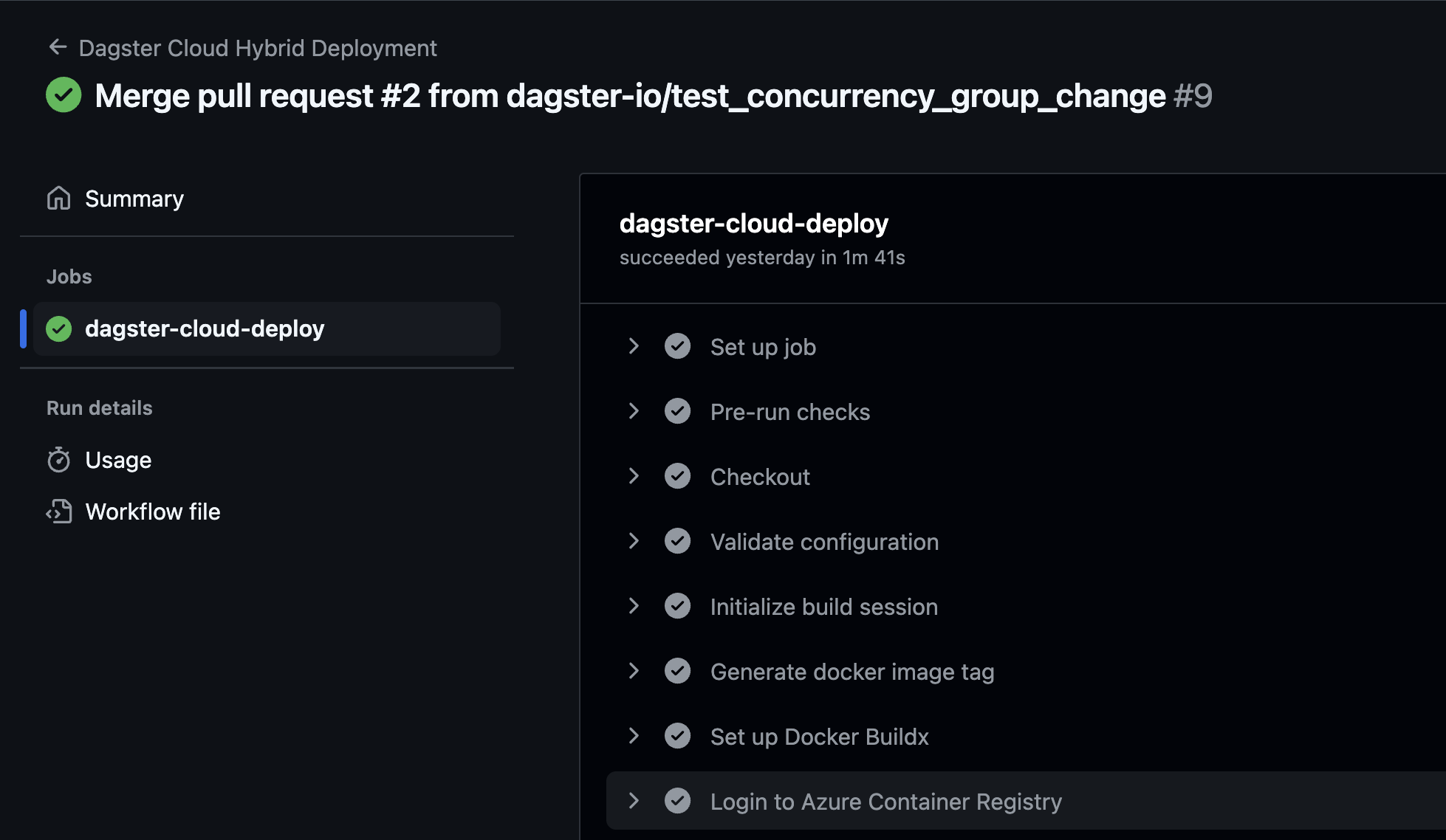
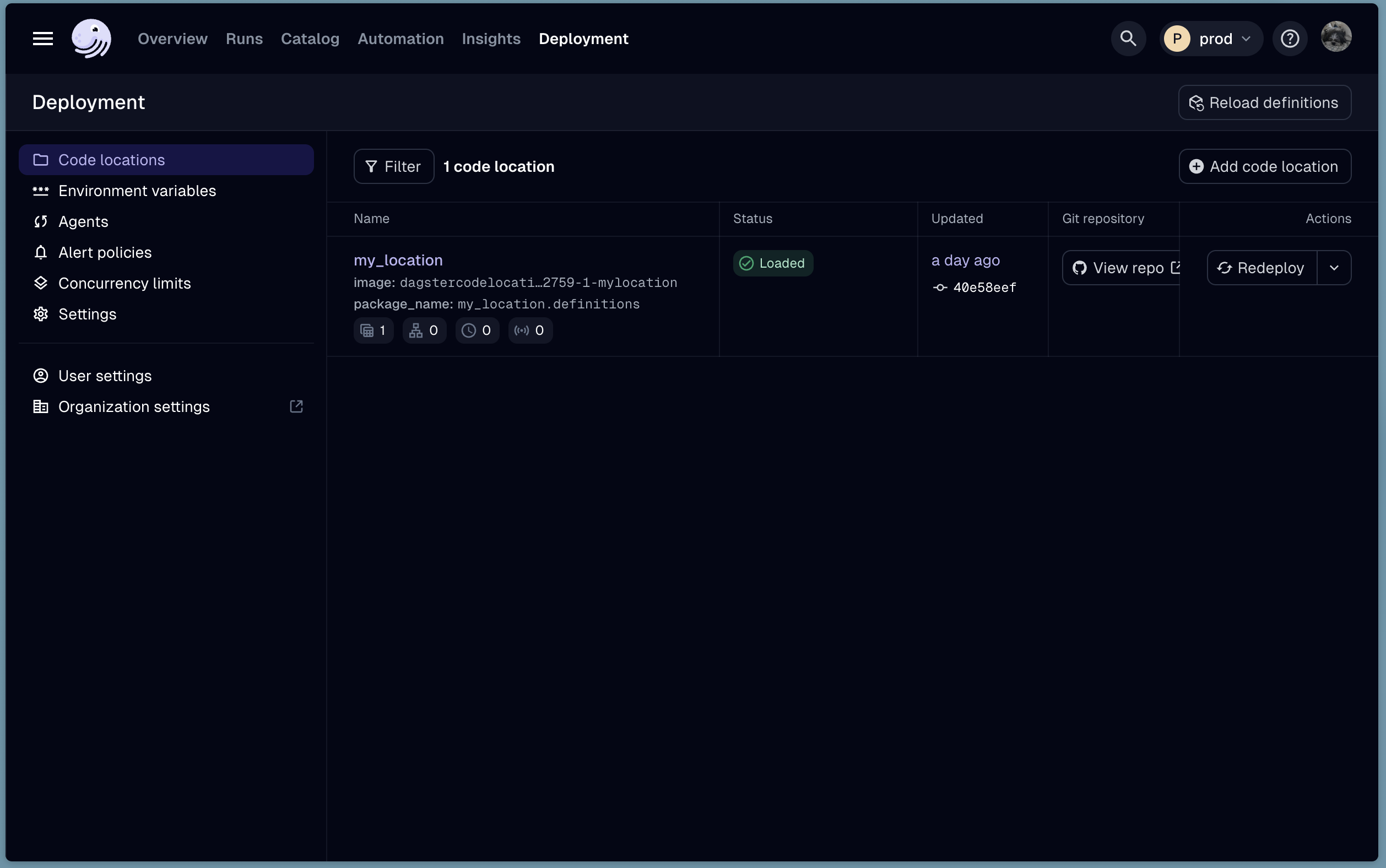
When the workflow completes, you should see the new code location in Dagster+. Navigate to the Status page, and click the Code Locations tab. You should see your new code location listed.
Next steps
Now that you have your code location deployed, you can follow the guide here to set up logging in your AKS cluster.